How the Product Design team at Beyond Identity leverages AI, designing with Claude Code





Key Takeaways
Full Transcript
Hey, everyone. My name is Allan Ziolkowski. I am the head of product design at Beyond Identity. I'm joined by Bekki and Nune, AI-first product designers here.
Today, we're gonna be talking about how we made the transition and a little bit of our story into becoming an AI first team. Let's take a look.
The presentation is called how the the product design team at Beyond Identity leverages AI, designing with Cloud Code.
Cloud Code is, our tool of choice right now, and matches what, our engineering partners use. And I'll go into that a little bit more. This can be a journey through our story, and there's gonna be some feelings here that might resonate with you as designers as well. And so, we'll take you along.
Now in the beginning, AI really was, a feature that us as designers were trying to think and brainstorm about how we could bring it into our product. This is a a chat Slack message from two thousand twenty four, where I was doing some brainstorming with one of the, product and engineering teams and said, maybe there's a way we can bring in natural language, into our policy editor as a writer.
And these were the types of contributions we were doing early on as a team, and we want to figure out how to do that. But, AI started to affect our knowledge worker, workflows. And so I was trying to understand how does the team here actually, use and leverage it. And so this first phase, I call the assistant phase or leveraging generative AI. So we're talking about, a little more than a year ago when this first notion of AI was starting to pop up into our world. And in the early days, you know, we all got excited and started jumping into tools like ChatGPT and Midjourney, and we were, making images, just like everyone else.
Here is some character development we were doing. We were doing some customer visits in different parts of the world, and we want to do a a a really custom facing experience for them. And so we're messing around with different characters.
And at that time, I remember thinking, you know, what's the right way to use AI with my team?
And, you know, the match here that felt natural was, okay. Well, we'll take our existing library and tools that we use, and we'll do some prompting on the outside and, you know, generative is what we know. So we'll do these images, and we'll kind of bring them into our workflow. And so, actually, early on, it was really about, like, a little bit more of this branding and and and marketing style.
And, you know, I was a little bit more curious about, like, how do we actually do this with product design? So we leaned in as well. And what we did is we continued to use this generative imagery, but we would use it to enhance the product experience. So we were trying to leverage I'll play the video again here, but we're trying to leverage, using images. Like, here are some character to help kind of emphasize or here are some instruction, visuals to kind of go along with some onboarding screens, to help kind of play the story a little bit more and move beyond text.
This is things that traditionally we could have done, but we're just taking a lot longer. And, so AI was starting to get really interesting into our workflow.
Things started changing in the design community, and this is something myself and and the team had started to know. We had a lot of one on one conversations about what does the future of design look like. You know, you saw a lot of scary posts on places like LinkedIn and YouTube about how AI was gonna replace designers.
And there was a lot of posts about how people had claimed to solve how they were using AI and that had tutorials and videos. And we're watching these things, and I remember encouraging the team to, you know, kinda watch and experiment and see if any of these things were connecting and clicking. And the the reality was it wasn't.
It wasn't working for our complex enterprise type of environment.
And so it was just getting really overwhelming with all this flood of the world is changing and fear of missing out and trying to catch up.
So I remember, like, taking a pause actually for a moment and, you know, even logging out of some of these things and encouraging my team to do that as well and just saying, we're okay. We're not we're not behind, and, you know, we're gonna figure it out when the time comes and when it makes the most sense.
So here's the it's for prototypes phase, and this is, you know, the introduction to lightweight agentic. And this is where things slowly started to get really interesting where some connections were connecting a lot more in the product design, world.
So here's some experimentation, with FigmaMake, trying to build a prototype really quickly, that was handling really interesting things. It was handling mock data in there. It was handling some logic. It was able to do things like live drop downs, which was really cool, change things. It was all, you know, text based prompting.
And it was just kinda mind blowing, how fast you can push something out.
And it generated code, and this was the, like, first really interesting thing, observation for me and my team is that the code it was generating, no one on my team was asking to look at it. And they were playing with the prototypes and using it. We were using it for, you know, demos and and things like that, and there was some value to it. But all the code it was generating, you know, no one was talking about it.
And that that, you know, was a little bit confusing to me because this was part of the pitch the pitch and proposal of what, the future of designing with AI looked like. Something else really interesting started to happen as well. So Beyond Identity as an organization really started to change. We were encouraged, and we were leaning in, AI forward.
And all of a sudden, people and, pioneers, I call them, of the company started building things internally, And they were building their own tools and building their own, workflows and systems and really leaning in heavy. And this was a, like, really exciting time.
But we started to get DMs as a design team. So we started to get messages that said, hey, design team. We made this thing with AI. It doesn't look like our brand. Can you help? And so, you know, I'm talking about two sides of the coin here, you know, of course, with the the the brand side of things, but also in product design. Like, people are making actual tools that were really interesting that, you know, most were internal, but some were potentially external facing.
And, you know, to me, the even scarier thing was, like, there was DMs I wasn't getting, or the team wasn't getting, and that helped me realize there's, a a sprawl of AI development happening here, and there's no control with design. And this was the first time we leaned in, a little bit more. And I remember kinda thinking to myself, how do I prevent this from getting out of hand? How do I take control of this situation?
It's an amazing thing that's happening, but we are quickly losing the ability to, manage everything from the look and feel to the experience that we work so hard to build with them with with our product and brand. So here's the lean in phase, and this is where we start to get into true, what I call true agentic. So if they're not gonna look at Figma make, and I'm talking about my partners in engineering, maybe they're gonna look at things like cursor, get a little bit more serious. And here's something that's really important to to think about.
When we start this, we wanna start building on a really strong foundation. And, you know, I look at a lot of the foundation as LEGO bricks. Right? It's our design system.
We can pick what the bricks look like, what color they are, what radius they have, what border they have, when they should appear, why they should appear, etcetera. And this was something that I think, you know, I knew I would have the ability to control. And something interesting also happened here too where, we have a design system in the company. We have a brand design system, and we have a product design system.
But it was not clear or really easy to pull that, and this is where I started to think about the complexities of existing systems. Like, the stuff that our actual developers are using is not extremely accessible to us as a design team immediately.
Around, Thanksgiving, I decided, you know, let's lean in, and let's just try to figure out something on our own as a design team and start to experiment and see what we can do here. So as I said, our our design team had a a full design system in Figma already, and this lent itself really easy to being the baseline for this new design system I made internally called Makena.
Working entirely in cursor with a cloud code started prompting it to pull the baseline of the foundations of our design system. I knew, we were using specific libraries that I wanted to bring in and, leveraged what we had in Figma to gather all the, the variants and all the type and everything and started prompting it to slowly start building this out and working with it to say, hey. What am I missing? What do we need to add more? And working line by line to slowly build up this design system.
And we came up with something that was really interesting. So it actually built a side external site, on its own, something you could think of, like, what Storybook would do.
And this is earlier on early enough that there was no great patterns or ways to do this. So there's a lot of exploration.
And things I knew we wanted to do. I I knew we wanted to find a way to get this so that it could control two scenarios. It could control the people that were starting a brand new product or design, effort that we could give them some type of package that they could install or prompt into their system before they started. Or if they had already started and already completed, that we could give them some stuff that would come in and say, hey. Fix all this. Change the design libraries to match this.
And so that's what you're seeing here, on the getting started side. There was some installation setup guides and steps like that.
It spit out some prompts that people would have to be pregenerated that they would enter into their system. There was actually a zipped package with our theme already kind of combined in.
And here's a working example early on of just this really fast, prototype that we put together to show if someone had, like, some dark mode generic, tailwind, built library, what it would do if we fed in the instructions that we gave, and it was starting to convert. And here's the thing that was interesting. It kinda worked, but, honestly, not really.
So I remember having these conversations in the in the chat window with it and and trying to understand, like, hey. I gave you explicit instructions about this. Like, I I said this is what the design system looks like. Why aren't you doing it? And I remember it was, like, popping out these really strange things. I was saying, things aren't synced.
The classic, you're absolutely right, that was popping up where I was saying, like, you know, I tried to go through the path of least resistance. And so, you know, the AI was doing the right it was trying to do the right thing always, but I realized it wasn't listening. And this was, like, a little bit of hesitation, a little bit of a a down moment because it felt like, woah, something is working here, and then it wasn't working.
So we decided to give it some rules, and this is pre Claude dot m d and skills and everything like that. And so we just gave it some, like, basic configuration rules that said, like, if you're using this, here are the things I need you to make sure you are doing and make sure you aren't doing. And things like only use the movie components, only use theme tokens, don't hard code things, use this library for icons, etcetera.
And so what we wanted, coming out of this and doing these rules and having a separate package and having a separate prompt was we wanted, like, defined components that if, another designer was coming in or executive who was building their own app was saying, like, drop a table in, that it would automatically kind of appear and show up as we wanted because we assumed the AI would listen. But, again, another reality hit that, like, even though it's using the LEGO bricks, it was kinda just building and doing it on its own, whatever it wanted.
And then, you know, a little bit of time passed, and and we're kind of waiting and sifting and trying to see if it made sense. And something, clicked. What we call the phase for me is, you know, I was trying to do some research on not just what the the the people who are influencing or content creation, as their primary focus or selling me anything, honestly. I was because there's hundreds of tools that are popping out all the time for this and people claiming to solve this. And I was trying to understand, like, what are people actually doing in the industry realistically? I mean, it's it's part of the reason why we're so keen on sharing this as well because, you know, we think we've unlocked something with with the help of, industry leaders like this.
PM on my team said that you should really check out what Cursor's design team is doing. They've been releasing some videos, and they have some really interesting concepts on how to make it work in the product design flow. And watch this YC, root access video here.
And, Rio Lu from from Cursor, the head of design, started talking about this concept called baby cursor.
And things all of a sudden started to click really quick. He showed how fast it was to build it, which was the first thing, and that gave some confidence to be like, okay. Maybe we can try this because some of the things he was saying really resonated, related to the complexity of a designer trying to get into, seeing things live and seeing the actual changes and not being able to be in the tool as often as you want to, like the actual tool that you're working on.
And the ability to rebuild your enterprise app without all the complexities and dependencies, that exist to start and just build something locally for you and your design team, a sandbox for you to play with.
And so enter baby secure work, we'll call it, or our design design sandbox here.
So this was made with Cursor. It was using the Makena design system that I mentioned earlier to help restrict that foundation of the guidelines. And, you know, this is really interesting. The the approach to actually build this was going page by page in our enterprise app, and slowly adding, checking every single detail and working with it and making corrections. And we got something that was real. And there was a lot of leverage that came out of that immediately because we saw I could give this to another designer, and they could immediately start adding on top of baby secure work, which we now call our design sandbox.
They can make changes. They can experiment. They can pull their own branch, and they can actually use this from a production perspective where instead of having to jump into Figma and work on, you know, moving boxes and and pixels, you know, I'm not talking about all the the preimportant phases of design where we need to do research and understand. All those things are still very much important. But once we actually hit to this implementation phase, and even experimentation phase, it was beyond a prototype. It was something that we could actually play with and use.
And so that worked, and we started to play with it with the design team. And, you know, the design team has a mix of engineering background. I have a former, front end engineer turned designer, on the team. I have a designer who is strictly designer their entire career and didn't really mess around with coding.
Both of these people quickly grasped into this type of environment and was able to make it work. And the lean in leaned in even more, and and we realized there's something really interesting here. And so this is what I call the committed phase, really trying to understand, AgenTic. So what we had realized is that, at a minimum, the baseline we can produce was actually more than what we are getting just with Figma.
So, you know, with something like Figma make, we're able to do live prototypes as well. But there was a real integration with the design system that we had, which was really strong.
Next thing here. So we got live clickable prototypes, which, again, similar, but all the states were considered immediately.
We got accessibility by default as we are talking with the system, responsiveness by default as we're talking to the system and defining those restrictions. We got mock datasets, as well. As I mentioned earlier on, we were able to do that with Figma make, but we're able to kind of grow these and see how they're going. And this was something that was demo ready, immediately.
And really interestingly enough, we could share this repository with other people in the organization from salespeople to engineering. All of them are working in that same type of environment, and we're able to access all the files immediately.
We started to leverage things like skills, things like CloudMD to really help maintain that consistency. And this you know, we're not a massive team here.
The the reality of design system drift was a real thing that we were facing, and we're moving so fast and working on so many projects that to keep everything up to date. You know? Sometimes you're just jumping in, taking a screenshot, adding things on top of it because that's the closest you can get to reality, to what you have because your design system might be out of sync a little bit.
So this was really exciting. And I think the big takeaway that came out of this was that we had realized if you remember when I said that, like, Figma make known as looking at the code, we were now meeting with the engineers where they were doing the code.
And we had moved the team to where they were in the same repositories, in the same environments, removing any restrictions. It was no longer about, can you send me that link? They were able to go and search and find it on their own work in that same type of, environment.
And a big process change actually happened here where the design team naturally started to become part of the entire journey. It was no longer designers upfront.
We do the designs. We set up a context meeting. We try to ramp everybody up. And then as they're working through, there's syncs with the devs and there's dev handoff. And then, you know, we get a couple screenshots, so we have to jump on a call to kind of see what was implemented and then tune things. It was all happening within that same code base that was kind of changing and moving. Everybody had context immediately from the beginning, and it was just working really, really well.
You know, speed is a really interesting thing that comes out of this conversation. And while it might not necessarily be faster to prompt a box, the output of it and where it lives and the overall end to end is where we really saw a massive impact to speed, the entire product building process.
And so we move into the AI first design era. So since December twenty twenty five, the Beyond Identity team officially switched over and now, considers our self AI first for product design where we jump in and start our day in cloud. That's how we work now. It works. We are an enterprise company delivering enterprise complex software designing first with AI.
Here's a look at what the the secure work design sandbox looks like now. We were able to actually, again, kind of talking about the integration with the engineering team is we're able to pull in the actual, design system that they were using in production so we could get a really clear match between the two. And this is something I do recommend, you know, to to not slow us down immediately. We built our own design system and started experimenting. But once we got into the era of our actual sandbox, the fact that we could pull in the production design system meant that at different stages and I'll talk about some process improvements, shortly. But it meant that at this stage here, if the developer wasn't necessarily using the code at a minimum when they were looking at the code, everything was referencing exactly what they were used to seeing in their design system from their perspective. And that was a huge, lift and game changer as well.
ClaudeMD and the introduction of skills started to appear here. We built really interesting things like, design system enforcement that would happen pre, commits when you're adding a new component in. It would run through and check for a bunch of different things and spit out a list of violations, that would appear, worked much, much better than before. And things, again, were starting to, turn into what you were expecting it to be when you're working with AI. I think we are at this point now where it's not perfect, but it is more than good enough to run. And I think it will only continue to get better and better and more focused towards designers.
So I want to, pass the mic over here to, our AI first designer here, Nune, and she's gonna share a little bit about her experience working with AI.
Thanks, Alan.
Hi. I'm Nune, and I work as a product designer at Beyond Identity. So, the biggest shift for me, as an AI first designer is actually how I start my day.
And, interestingly enough, I don't start my day in Figma anymore. I started in the repo. And the first thing that I do as soon as I get, to working, is I I come to Cloud. What where you're looking at is right now a Cloud Code running in Versus Code.
And I I open my project. This is the project that I'm working on right now, and I run a bunch of commands. And the first few commands that I run are git status to get a good grasp of which branch I'm on, make sure I'm committing to the right place, and that I don't have any outstanding changes that I need to commit. And then after that, I do git fetch origin.
This is to make sure that I have you know, I fetched from the origin, and there are no new changes regarding to the design system that we're using. So everything is up to date, and I'm good to go. And then I run the I run m m NPM run dev, which will basically start my dev server. So I have the dev server running at at the moment, actually.
Let me flip back to the web view. So as Alan was mentioned has mentioned before, this is the design sandbox environment that we're using right now to experiment, to come up with new ideas whenever we have a new feature to work on. This is where we start. And, I have this new users area in here.
As you can see, here, I'm showing, aggregated information about our users.
And something that is very important for security admin to know as we talked to you know, we had a bunch of interviews and we had PRD documentation that's, you know, serving as a base and requirements for this feature.
So, what I've done is, and I let me walk you through with the exact prompt that I, that I gave Claude to be able to, generate this summary view. Is I asked it, I need enrollment activity summary data to create a to add an aggregated deployment summary section above the user table. And the specific instruction I gave it is to include total users, number deployed, number pending, deployment percentage, and make sure to use the existing components and design tokens from the design library. Without me even prompting this, if you as you can see on the right side, I have the, you know, the the rules file open.
So Claude will take care of it anyway. But once in a while, I will just enforce and ask the the question just to make sure. So what it did, it did basically, within a few seconds, it's it gave me this summary view of the aggregated data that I need, and it put exactly the right padding and the measurements that I wanted to have. So but the important thing to understand is here that we're not just prompting randomly.
Right? We've defined guardrails inside our design system, and we have rules around spacing, tokens, color usage, a layout structure, accessibility constraints, and, everything is defined within Cloud. And so when I work with AI, it's that it it's, it helps me because it makes things scalable really fast from that point.
So by looking at this, obviously, this is a first step, but it doesn't look finished. And, naturally, the next thing I would do is probably to try to experiment a bunch of ideas.
Just to demonstrate a small example, let's run through an experiment of just grouping all of these cards into a single container and and then giving it a title.
Let's let's call it deployment summary.
So that's exactly what I would prompt Claude. So let's let's switch back to the Claude view, and this is where I'll type in group all four cards into a new container and call it deployment summary. I'm doing this live, so let's hope it works.
It's asking, would you like me to make edits to the user's page? I'm saying yes.
As you can see, Claude is thinking with me, and I can clearly see the instructions that I'm receiving back from it, and I can stop the process anytime that I need. And it's currently reading through my user's table, and it's saying make additional changes.
Okay. It's looking for that specific container that it needs to add, and it's saying fixed. The inner box and the other container are now both properly closed. The four cards sit inside a bordered card.
And there you have it. I have the card ready, and I it just and the title is there. So as you can see, if you have the right system in place and with the right design system and boundaries, AI becomes a really true partner, increasing the speed, consistency, and the clarity without losing any control.
That's it for me. Back to you, Alan. Thank you.
Good, Nuneet. That was a great example of making small changes really quickly, leveraging the guardrails.
And I think it's it's a great example of first steps you can go to build stuff really quickly, get prototypes together, and then, you know, you can take this back. And one thing I always encourage designers is, you know, don't get stuck in the weeds here at this point because you're gonna find that prompting, you know, you can keep making adjustments and adjustments and adjustments. And you really need to find that human layer again and take that step back and breathe and look at things overall. Feel free to pull a piece of paper out and draw things out on the side and experiment a little bit more.
And, you know, Bekki will also talk about other cool things we can do. We're we're used to this Canvas world where we need to duplicate a page to try to experiment, and there's other things you can actually do with with Code and Clod to leverage a similar type of experience. So I'll go back to my share here, and I wanna talk about actual practice practice processes that we're doing. This is really important.
This is the, like, the the meat of this presentation, which is how we're actually building and experimenting.
And I write for now because things are changing all the time, and this team is has been unbelievably flexible with trying to understand what the right flows are. Remember, that's not just about us. We're now embedded really deeply in the entire product cycle, so we're trying to figure out what the right and best things are that work with our team specifically.
And we have a bunch of different processes we're all running. Nune and Bekki are running separately with different types of projects. They're working on multiple projects at the same time. So I'm gonna go through each one kind of individually and highlight.
So the first one is imagine we're trying to add a feature to our existing product that lives there today. I say existing product because now with this world of AI where you can build things so quickly, a lot of stuff is happening, like that, and it's probably happening to you and your organizations as well. So to imagine it's your existing product, your complex enterprise system. You've built the design sandbox.
Maybe you don't have every single page in there. That's completely fine. You don't have every single detail of that feature. That's completely fine.
But you have your guardrails set up. You have the baseline foundation of it, and now you're starting to build on top of it. So, you know, the recommendation for the design team is you take that main one that we all share as a design team. This is our space, our working tooling, and you're gonna make a new branch for yourself.
So you're working on a new devices page, let's call it, gonna branch and and and name it. You're gonna start to build just like Nune was showing because we're using those guardrails now. She can add in tables. She's working with the product team, and they're experimenting live.
And they're even talking about things, and they're saying, like, hey.
These are the type of information and columns that we think are really important. She can take that prototype and run it with actual end users and customers and try to experiment and try to understand more things that need to be adjusted. It's all happening very, very quickly. And then when that's good to go, we wanna work really closely with our dev partners as well.
And so one of the ways we've been doing this is, as I mentioned, with our environment and the important thing that we're actually leveraging the real design system that the dev team has been using is that now that engineer who's taking over here, who's also working in that same cloud repo and codebase can pull that branch over here and have those branches talk to each other to understand what's in there and slowly start pulling things over and look through our code if they want to. They can take a look and see what is important. They can play with the prototype, click through things, and all of a sudden, they're able to take that portion and merge it into main, and get that moving forward.
And now we've done what I'll call, like, a lightweight hand off to the developer where they're receiving code. They're looking at the code to see what's useful for them because we're leveraging the same design system. There's a lot of familiarity in there. But remember, you know, as we build skill sets as designers, our engineering partners have specific skill sets as well.
And how Claude, or whatever AI tooling you're using decides to pull in the scaffolding and do it might not be the way that that developing partner, would have done it. And so this gives them the freedom to kind of figure it out, but also understand the details that we care about. And imagine before we would have given a a a static backup, maybe a prototype or something like that, they would have had to go into dev mode and try to analyze everything manually. Everything is there.
It's in that design system. They can literally talk in Claude and say, what are they using over here? Which component is this? They're talking the same language now.
The other way that we've done successfully is working with a team of engineers where there was no front end engineer resource available to kind of come in and support. So the designer jumped right in over here.
And this was helpful that the designer, has some technical background and can look at the code that Claude's producing over here. But, you know, an environment was created for this type of work as well. And then the changes happened live there. And with the dev support, you know, these are our partners.
Remember, as we're going through it, we're actually able to merge this work, and this is full reskin work that happened over here, made it into main in three days without having to reference, without having to talk to someone else, ask them, did you do this? Check for, differences and and back and forth. It was in exactly as intended. This happens really often with design where you go, you do all this work, and you design something out.
And the reality when it hits the business and when it's trying to hit your deadlines and whatever it is that only, you know, twenty, thirty percent of your design actually makes it out in the output. And that's really tough as a designer because everything is supposed to be fast follow, but the reality of the world is things move really fast and new priorities come up. And so this is, like, a really cool moment where everything that was designed as intended made it in.
That's the one angle working within the production system that exists already. And the other one that I had mentioned, is that your teams are building other tools really fast now. They might not be working on that exact same. Maybe they're working net new zero to one, and this is a environment we're a little bit more familiar with.
Well, there's two ways that we've been experimenting three ways, actually, we've been experimenting with this, which I think is really interesting. So, the first one is designers starting on something brand new. They ensure that our mocking up productionized version of the design system or maybe it's the design library, whatever you wanna do from that perspective. Now with design, you can be a lot more experimental and play and push stuff.
You can build these design systems super quickly, so you have a little bit more flexibility and freedom.
They go. They build this.
They work it out really quick. And then, again, the same thing where that dev is referencing that repo, and they kinda move it over. Right?
There's another world where your product partner or dev partner, whoever it is, actually goes and starts building up the scaffolding first. So they actually build out, you know, a couple of the pages. They use that to reference instead of just talking. Like, they're actually showing you their version of the prototype in a new production type environment, and you can come in and work with them to tune it to give best practices to show what good looks like.
And you can push your design directly into code, and move it into main again with that developer partner, which is also something that's proven that we've done. So we've done all of these examples that I'm giving, over here. And then the last one, over here that's really interesting is, you know, why not leverage? This is gonna happen, and it's happening right now is that why not leverage and give these environments to our product build partners? So, you know, we're all moving towards these more type of product building mentality things where they could go, they could take that environment, they could make their own version of it, and they can actually start and build things. And then they could come back with you as your expertise and work with you to kind of tune and fix things and work as part of it. And, again, you're involved in all those steps.
You wanna be part of all those steps. It's not just to, like, here, read this twenty page doc, go figure it out, design, and come back to me and check if you actually did it right. It's like you guys are working in that same environment, that same code base.
So I'm excited to introduce our, other AI first designer, Bekki Lee here.
Hey, everyone. I'm Bekki, and I'm gonna share a little bit about how I've been using AI to design and build our newly launched product, CEROS, which is which provides visibility and security for AI agents.
So with Cloud Code, I was able to build a few key initial product pages pretty quickly.
One of them being this getting started page.
We ideated as a team on how to help users find that moment. And then I went in and built this page, created an MR. I had a couple of my engineering team members go in, review it, and then we got it merged into production.
I've also been able to quickly ideate ideate different ideas from new features, like this alerts dashboard with AI generated remediation steps for better actionability. And with something visual that you can interact with, I was able to more easily build alignment with my PM and engineering partners.
I've also been able to explore new UX design patterns. So before, our policy experience was just a simple drop down, but it was difficult to scale as we supported more condition types and complex policies. So I was rethinking the whole editing experience with a natural language prompt, prompting experience, and a visual journey to understand the flow of steps.
And the great thing with working with Claude and GitLab is that I'm also able to better share my work with my engineering partners. So they can go in and open my branch and take a look at the UI, interact with something that's real, and also look at the code details, which has been really helpful for the team.
And AI also helps us do fast exploration of our future design. So we've been exploring a redesign with our futuristic terminal look, and I can show that to you live, and we can make some changes together to to show how I use the tool. So this is my cloud window. I have our new kind of redesign of our product that I've been exploring, and we'll make a few changes. So on the left nav here, I currently have icon sets that are using our existing icon library, but I wanted to explore something new as part of this redesign and put together a vision icon set. So I'm going to quickly swap these existing ones for the new ones that I have so I can kind of take a look and see how it feels in the product.
It's getting it's going through. It's looking at the the setup.
It's taking a look at the different nav items, and then, hopefully, we'll be able to swap the icons out.
So I think it's doing some troubleshooting here, so we'll see. So we'll allow them to make edits as needed. So perfect. So it updated our icon set here in the left nav.
Something else that we've also kind of been exploring was a more compact view of our of our UI versus a more spacious view, and AI was able to, AI was able to help me create this view and make a larger padding, and to make sure that it's consistently applied everywhere so we can take a quick look at the two different versions, that, Cloud was able to help me create.
And I added in this control in the UI itself so that I can easily swap between the versions and compare. And I can also share this with the design team, and we can also take a look together to see, you know, which version we we we wanna move forward with. And once we finalize the theme, because it's built on top of our initial theme tokens, there's a shared language. So we should be able to seamlessly translate styles from our old theme to our new one.
And this is just a little glimpse of how I've been working with AI to help me design and explore different visual elements, interactions, and flows really quickly. And it's been really helpful in streamlining team alignment and the developer handoff process because we're all working in the same place. And and I think as a team, we're really excited to continue working this way and iterate as as AI evolves.
I'll hand it back to you, Alan.
So something really cool couple things that were really cool that popped out of there is, like, a lot of people get worried that you'll lose that create that creativity layer. Bekki did all that new UI in Claude. She took a step outside of the the tooling, got inspiration, tried to understand what direction she wanted to go, and started to lean in as she was doing the, visual design updates. And another really cool trick that I've seen Bekki do a lot that I think, is a really smart and fast way to do it is your ability to you know, you're building code, so you're building functionality.
Instead of duplicating pages, she added a drop down in there. And then she has the system actually swap different pages so that she can directly compare the changes.
She can use it in crit and bring it in and and be able to show that. So she doesn't need five different branches theoretically to try to show us those different changes. She has them all built into the same base and then swaps it with an actual GUI, which is really cool. It's a really, really fast way to iterate and try different things on different pages.
So let's talk about tomorrow and the AI first software company.
You know, this is obviously very opinionated, but I think we're all gonna lean towards being product builders.
And I think product and engine design is all gonna kind of be encouraged to build POCs and and and work on things, in production, together. And, you know, I think they can leverage and start to use our system as guide guardrails and have us come in at different parts during the project throughout the entire process.
This is really empowering for a designer because we're self reliant now. Like I said, we can actually ship end to end. We're shipping in production. What we design is making it into the product, and that's a huge change in how things, are evolving. It's been super exciting.
Here's my my kinda takeaway words, with all of this. I think there's a lot happening. There's new tools that are popping up every day. No one has the exact process.
This process that I just shared here might not work for you or your organization for whatever reason. There's boundaries. There's constraints. I wanted to highlight that this is something we're actually doing in an enterprise environment, a start up environment where we are moving super fast, working on multiple projects at the same time.
If we didn't lean into it, and you can look, this has changed over an entire year where we were just getting curious about it and trying.
And we did that commitment phase when things actually clicked and made sense for us. It wasn't about just being late to the party. It was like, this works for our team and in our environment, and we can make this work. You're not too late.
Jump in. Lean in. I think because of how fast it's moving, though, if you don't lean in, you can be left behind. I think that's important to note because, you know, these tools have the ability to do some form of baseline design.
We as designers know they're not good enough, but they might be good enough for some people.
And the companies that care about design will continue to bring in designers to help tune these and bring our special skill sets into this process.
Again, no one has all the answers yet.
Don't get left behind. Really excited about this new venture and where we are as a team. We're really excited about the future of design with AI first. Thank you very much.
Key Takeaways
Full Transcript
Hey, everyone. My name is Allan Ziolkowski. I am the head of product design at Beyond Identity. I'm joined by Bekki and Nune, AI-first product designers here.
Today, we're gonna be talking about how we made the transition and a little bit of our story into becoming an AI first team. Let's take a look.
The presentation is called how the the product design team at Beyond Identity leverages AI, designing with Cloud Code.
Cloud Code is, our tool of choice right now, and matches what, our engineering partners use. And I'll go into that a little bit more. This can be a journey through our story, and there's gonna be some feelings here that might resonate with you as designers as well. And so, we'll take you along.
Now in the beginning, AI really was, a feature that us as designers were trying to think and brainstorm about how we could bring it into our product. This is a a chat Slack message from two thousand twenty four, where I was doing some brainstorming with one of the, product and engineering teams and said, maybe there's a way we can bring in natural language, into our policy editor as a writer.
And these were the types of contributions we were doing early on as a team, and we want to figure out how to do that. But, AI started to affect our knowledge worker, workflows. And so I was trying to understand how does the team here actually, use and leverage it. And so this first phase, I call the assistant phase or leveraging generative AI. So we're talking about, a little more than a year ago when this first notion of AI was starting to pop up into our world. And in the early days, you know, we all got excited and started jumping into tools like ChatGPT and Midjourney, and we were, making images, just like everyone else.
Here is some character development we were doing. We were doing some customer visits in different parts of the world, and we want to do a a a really custom facing experience for them. And so we're messing around with different characters.
And at that time, I remember thinking, you know, what's the right way to use AI with my team?
And, you know, the match here that felt natural was, okay. Well, we'll take our existing library and tools that we use, and we'll do some prompting on the outside and, you know, generative is what we know. So we'll do these images, and we'll kind of bring them into our workflow. And so, actually, early on, it was really about, like, a little bit more of this branding and and and marketing style.
And, you know, I was a little bit more curious about, like, how do we actually do this with product design? So we leaned in as well. And what we did is we continued to use this generative imagery, but we would use it to enhance the product experience. So we were trying to leverage I'll play the video again here, but we're trying to leverage, using images. Like, here are some character to help kind of emphasize or here are some instruction, visuals to kind of go along with some onboarding screens, to help kind of play the story a little bit more and move beyond text.
This is things that traditionally we could have done, but we're just taking a lot longer. And, so AI was starting to get really interesting into our workflow.
Things started changing in the design community, and this is something myself and and the team had started to know. We had a lot of one on one conversations about what does the future of design look like. You know, you saw a lot of scary posts on places like LinkedIn and YouTube about how AI was gonna replace designers.
And there was a lot of posts about how people had claimed to solve how they were using AI and that had tutorials and videos. And we're watching these things, and I remember encouraging the team to, you know, kinda watch and experiment and see if any of these things were connecting and clicking. And the the reality was it wasn't.
It wasn't working for our complex enterprise type of environment.
And so it was just getting really overwhelming with all this flood of the world is changing and fear of missing out and trying to catch up.
So I remember, like, taking a pause actually for a moment and, you know, even logging out of some of these things and encouraging my team to do that as well and just saying, we're okay. We're not we're not behind, and, you know, we're gonna figure it out when the time comes and when it makes the most sense.
So here's the it's for prototypes phase, and this is, you know, the introduction to lightweight agentic. And this is where things slowly started to get really interesting where some connections were connecting a lot more in the product design, world.
So here's some experimentation, with FigmaMake, trying to build a prototype really quickly, that was handling really interesting things. It was handling mock data in there. It was handling some logic. It was able to do things like live drop downs, which was really cool, change things. It was all, you know, text based prompting.
And it was just kinda mind blowing, how fast you can push something out.
And it generated code, and this was the, like, first really interesting thing, observation for me and my team is that the code it was generating, no one on my team was asking to look at it. And they were playing with the prototypes and using it. We were using it for, you know, demos and and things like that, and there was some value to it. But all the code it was generating, you know, no one was talking about it.
And that that, you know, was a little bit confusing to me because this was part of the pitch the pitch and proposal of what, the future of designing with AI looked like. Something else really interesting started to happen as well. So Beyond Identity as an organization really started to change. We were encouraged, and we were leaning in, AI forward.
And all of a sudden, people and, pioneers, I call them, of the company started building things internally, And they were building their own tools and building their own, workflows and systems and really leaning in heavy. And this was a, like, really exciting time.
But we started to get DMs as a design team. So we started to get messages that said, hey, design team. We made this thing with AI. It doesn't look like our brand. Can you help? And so, you know, I'm talking about two sides of the coin here, you know, of course, with the the the brand side of things, but also in product design. Like, people are making actual tools that were really interesting that, you know, most were internal, but some were potentially external facing.
And, you know, to me, the even scarier thing was, like, there was DMs I wasn't getting, or the team wasn't getting, and that helped me realize there's, a a sprawl of AI development happening here, and there's no control with design. And this was the first time we leaned in, a little bit more. And I remember kinda thinking to myself, how do I prevent this from getting out of hand? How do I take control of this situation?
It's an amazing thing that's happening, but we are quickly losing the ability to, manage everything from the look and feel to the experience that we work so hard to build with them with with our product and brand. So here's the lean in phase, and this is where we start to get into true, what I call true agentic. So if they're not gonna look at Figma make, and I'm talking about my partners in engineering, maybe they're gonna look at things like cursor, get a little bit more serious. And here's something that's really important to to think about.
When we start this, we wanna start building on a really strong foundation. And, you know, I look at a lot of the foundation as LEGO bricks. Right? It's our design system.
We can pick what the bricks look like, what color they are, what radius they have, what border they have, when they should appear, why they should appear, etcetera. And this was something that I think, you know, I knew I would have the ability to control. And something interesting also happened here too where, we have a design system in the company. We have a brand design system, and we have a product design system.
But it was not clear or really easy to pull that, and this is where I started to think about the complexities of existing systems. Like, the stuff that our actual developers are using is not extremely accessible to us as a design team immediately.
Around, Thanksgiving, I decided, you know, let's lean in, and let's just try to figure out something on our own as a design team and start to experiment and see what we can do here. So as I said, our our design team had a a full design system in Figma already, and this lent itself really easy to being the baseline for this new design system I made internally called Makena.
Working entirely in cursor with a cloud code started prompting it to pull the baseline of the foundations of our design system. I knew, we were using specific libraries that I wanted to bring in and, leveraged what we had in Figma to gather all the, the variants and all the type and everything and started prompting it to slowly start building this out and working with it to say, hey. What am I missing? What do we need to add more? And working line by line to slowly build up this design system.
And we came up with something that was really interesting. So it actually built a side external site, on its own, something you could think of, like, what Storybook would do.
And this is earlier on early enough that there was no great patterns or ways to do this. So there's a lot of exploration.
And things I knew we wanted to do. I I knew we wanted to find a way to get this so that it could control two scenarios. It could control the people that were starting a brand new product or design, effort that we could give them some type of package that they could install or prompt into their system before they started. Or if they had already started and already completed, that we could give them some stuff that would come in and say, hey. Fix all this. Change the design libraries to match this.
And so that's what you're seeing here, on the getting started side. There was some installation setup guides and steps like that.
It spit out some prompts that people would have to be pregenerated that they would enter into their system. There was actually a zipped package with our theme already kind of combined in.
And here's a working example early on of just this really fast, prototype that we put together to show if someone had, like, some dark mode generic, tailwind, built library, what it would do if we fed in the instructions that we gave, and it was starting to convert. And here's the thing that was interesting. It kinda worked, but, honestly, not really.
So I remember having these conversations in the in the chat window with it and and trying to understand, like, hey. I gave you explicit instructions about this. Like, I I said this is what the design system looks like. Why aren't you doing it? And I remember it was, like, popping out these really strange things. I was saying, things aren't synced.
The classic, you're absolutely right, that was popping up where I was saying, like, you know, I tried to go through the path of least resistance. And so, you know, the AI was doing the right it was trying to do the right thing always, but I realized it wasn't listening. And this was, like, a little bit of hesitation, a little bit of a a down moment because it felt like, woah, something is working here, and then it wasn't working.
So we decided to give it some rules, and this is pre Claude dot m d and skills and everything like that. And so we just gave it some, like, basic configuration rules that said, like, if you're using this, here are the things I need you to make sure you are doing and make sure you aren't doing. And things like only use the movie components, only use theme tokens, don't hard code things, use this library for icons, etcetera.
And so what we wanted, coming out of this and doing these rules and having a separate package and having a separate prompt was we wanted, like, defined components that if, another designer was coming in or executive who was building their own app was saying, like, drop a table in, that it would automatically kind of appear and show up as we wanted because we assumed the AI would listen. But, again, another reality hit that, like, even though it's using the LEGO bricks, it was kinda just building and doing it on its own, whatever it wanted.
And then, you know, a little bit of time passed, and and we're kind of waiting and sifting and trying to see if it made sense. And something, clicked. What we call the phase for me is, you know, I was trying to do some research on not just what the the the people who are influencing or content creation, as their primary focus or selling me anything, honestly. I was because there's hundreds of tools that are popping out all the time for this and people claiming to solve this. And I was trying to understand, like, what are people actually doing in the industry realistically? I mean, it's it's part of the reason why we're so keen on sharing this as well because, you know, we think we've unlocked something with with the help of, industry leaders like this.
PM on my team said that you should really check out what Cursor's design team is doing. They've been releasing some videos, and they have some really interesting concepts on how to make it work in the product design flow. And watch this YC, root access video here.
And, Rio Lu from from Cursor, the head of design, started talking about this concept called baby cursor.
And things all of a sudden started to click really quick. He showed how fast it was to build it, which was the first thing, and that gave some confidence to be like, okay. Maybe we can try this because some of the things he was saying really resonated, related to the complexity of a designer trying to get into, seeing things live and seeing the actual changes and not being able to be in the tool as often as you want to, like the actual tool that you're working on.
And the ability to rebuild your enterprise app without all the complexities and dependencies, that exist to start and just build something locally for you and your design team, a sandbox for you to play with.
And so enter baby secure work, we'll call it, or our design design sandbox here.
So this was made with Cursor. It was using the Makena design system that I mentioned earlier to help restrict that foundation of the guidelines. And, you know, this is really interesting. The the approach to actually build this was going page by page in our enterprise app, and slowly adding, checking every single detail and working with it and making corrections. And we got something that was real. And there was a lot of leverage that came out of that immediately because we saw I could give this to another designer, and they could immediately start adding on top of baby secure work, which we now call our design sandbox.
They can make changes. They can experiment. They can pull their own branch, and they can actually use this from a production perspective where instead of having to jump into Figma and work on, you know, moving boxes and and pixels, you know, I'm not talking about all the the preimportant phases of design where we need to do research and understand. All those things are still very much important. But once we actually hit to this implementation phase, and even experimentation phase, it was beyond a prototype. It was something that we could actually play with and use.
And so that worked, and we started to play with it with the design team. And, you know, the design team has a mix of engineering background. I have a former, front end engineer turned designer, on the team. I have a designer who is strictly designer their entire career and didn't really mess around with coding.
Both of these people quickly grasped into this type of environment and was able to make it work. And the lean in leaned in even more, and and we realized there's something really interesting here. And so this is what I call the committed phase, really trying to understand, AgenTic. So what we had realized is that, at a minimum, the baseline we can produce was actually more than what we are getting just with Figma.
So, you know, with something like Figma make, we're able to do live prototypes as well. But there was a real integration with the design system that we had, which was really strong.
Next thing here. So we got live clickable prototypes, which, again, similar, but all the states were considered immediately.
We got accessibility by default as we are talking with the system, responsiveness by default as we're talking to the system and defining those restrictions. We got mock datasets, as well. As I mentioned earlier on, we were able to do that with Figma make, but we're able to kind of grow these and see how they're going. And this was something that was demo ready, immediately.
And really interestingly enough, we could share this repository with other people in the organization from salespeople to engineering. All of them are working in that same type of environment, and we're able to access all the files immediately.
We started to leverage things like skills, things like CloudMD to really help maintain that consistency. And this you know, we're not a massive team here.
The the reality of design system drift was a real thing that we were facing, and we're moving so fast and working on so many projects that to keep everything up to date. You know? Sometimes you're just jumping in, taking a screenshot, adding things on top of it because that's the closest you can get to reality, to what you have because your design system might be out of sync a little bit.
So this was really exciting. And I think the big takeaway that came out of this was that we had realized if you remember when I said that, like, Figma make known as looking at the code, we were now meeting with the engineers where they were doing the code.
And we had moved the team to where they were in the same repositories, in the same environments, removing any restrictions. It was no longer about, can you send me that link? They were able to go and search and find it on their own work in that same type of, environment.
And a big process change actually happened here where the design team naturally started to become part of the entire journey. It was no longer designers upfront.
We do the designs. We set up a context meeting. We try to ramp everybody up. And then as they're working through, there's syncs with the devs and there's dev handoff. And then, you know, we get a couple screenshots, so we have to jump on a call to kind of see what was implemented and then tune things. It was all happening within that same code base that was kind of changing and moving. Everybody had context immediately from the beginning, and it was just working really, really well.
You know, speed is a really interesting thing that comes out of this conversation. And while it might not necessarily be faster to prompt a box, the output of it and where it lives and the overall end to end is where we really saw a massive impact to speed, the entire product building process.
And so we move into the AI first design era. So since December twenty twenty five, the Beyond Identity team officially switched over and now, considers our self AI first for product design where we jump in and start our day in cloud. That's how we work now. It works. We are an enterprise company delivering enterprise complex software designing first with AI.
Here's a look at what the the secure work design sandbox looks like now. We were able to actually, again, kind of talking about the integration with the engineering team is we're able to pull in the actual, design system that they were using in production so we could get a really clear match between the two. And this is something I do recommend, you know, to to not slow us down immediately. We built our own design system and started experimenting. But once we got into the era of our actual sandbox, the fact that we could pull in the production design system meant that at different stages and I'll talk about some process improvements, shortly. But it meant that at this stage here, if the developer wasn't necessarily using the code at a minimum when they were looking at the code, everything was referencing exactly what they were used to seeing in their design system from their perspective. And that was a huge, lift and game changer as well.
ClaudeMD and the introduction of skills started to appear here. We built really interesting things like, design system enforcement that would happen pre, commits when you're adding a new component in. It would run through and check for a bunch of different things and spit out a list of violations, that would appear, worked much, much better than before. And things, again, were starting to, turn into what you were expecting it to be when you're working with AI. I think we are at this point now where it's not perfect, but it is more than good enough to run. And I think it will only continue to get better and better and more focused towards designers.
So I want to, pass the mic over here to, our AI first designer here, Nune, and she's gonna share a little bit about her experience working with AI.
Thanks, Alan.
Hi. I'm Nune, and I work as a product designer at Beyond Identity. So, the biggest shift for me, as an AI first designer is actually how I start my day.
And, interestingly enough, I don't start my day in Figma anymore. I started in the repo. And the first thing that I do as soon as I get, to working, is I I come to Cloud. What where you're looking at is right now a Cloud Code running in Versus Code.
And I I open my project. This is the project that I'm working on right now, and I run a bunch of commands. And the first few commands that I run are git status to get a good grasp of which branch I'm on, make sure I'm committing to the right place, and that I don't have any outstanding changes that I need to commit. And then after that, I do git fetch origin.
This is to make sure that I have you know, I fetched from the origin, and there are no new changes regarding to the design system that we're using. So everything is up to date, and I'm good to go. And then I run the I run m m NPM run dev, which will basically start my dev server. So I have the dev server running at at the moment, actually.
Let me flip back to the web view. So as Alan was mentioned has mentioned before, this is the design sandbox environment that we're using right now to experiment, to come up with new ideas whenever we have a new feature to work on. This is where we start. And, I have this new users area in here.
As you can see, here, I'm showing, aggregated information about our users.
And something that is very important for security admin to know as we talked to you know, we had a bunch of interviews and we had PRD documentation that's, you know, serving as a base and requirements for this feature.
So, what I've done is, and I let me walk you through with the exact prompt that I, that I gave Claude to be able to, generate this summary view. Is I asked it, I need enrollment activity summary data to create a to add an aggregated deployment summary section above the user table. And the specific instruction I gave it is to include total users, number deployed, number pending, deployment percentage, and make sure to use the existing components and design tokens from the design library. Without me even prompting this, if you as you can see on the right side, I have the, you know, the the rules file open.
So Claude will take care of it anyway. But once in a while, I will just enforce and ask the the question just to make sure. So what it did, it did basically, within a few seconds, it's it gave me this summary view of the aggregated data that I need, and it put exactly the right padding and the measurements that I wanted to have. So but the important thing to understand is here that we're not just prompting randomly.
Right? We've defined guardrails inside our design system, and we have rules around spacing, tokens, color usage, a layout structure, accessibility constraints, and, everything is defined within Cloud. And so when I work with AI, it's that it it's, it helps me because it makes things scalable really fast from that point.
So by looking at this, obviously, this is a first step, but it doesn't look finished. And, naturally, the next thing I would do is probably to try to experiment a bunch of ideas.
Just to demonstrate a small example, let's run through an experiment of just grouping all of these cards into a single container and and then giving it a title.
Let's let's call it deployment summary.
So that's exactly what I would prompt Claude. So let's let's switch back to the Claude view, and this is where I'll type in group all four cards into a new container and call it deployment summary. I'm doing this live, so let's hope it works.
It's asking, would you like me to make edits to the user's page? I'm saying yes.
As you can see, Claude is thinking with me, and I can clearly see the instructions that I'm receiving back from it, and I can stop the process anytime that I need. And it's currently reading through my user's table, and it's saying make additional changes.
Okay. It's looking for that specific container that it needs to add, and it's saying fixed. The inner box and the other container are now both properly closed. The four cards sit inside a bordered card.
And there you have it. I have the card ready, and I it just and the title is there. So as you can see, if you have the right system in place and with the right design system and boundaries, AI becomes a really true partner, increasing the speed, consistency, and the clarity without losing any control.
That's it for me. Back to you, Alan. Thank you.
Good, Nuneet. That was a great example of making small changes really quickly, leveraging the guardrails.
And I think it's it's a great example of first steps you can go to build stuff really quickly, get prototypes together, and then, you know, you can take this back. And one thing I always encourage designers is, you know, don't get stuck in the weeds here at this point because you're gonna find that prompting, you know, you can keep making adjustments and adjustments and adjustments. And you really need to find that human layer again and take that step back and breathe and look at things overall. Feel free to pull a piece of paper out and draw things out on the side and experiment a little bit more.
And, you know, Bekki will also talk about other cool things we can do. We're we're used to this Canvas world where we need to duplicate a page to try to experiment, and there's other things you can actually do with with Code and Clod to leverage a similar type of experience. So I'll go back to my share here, and I wanna talk about actual practice practice processes that we're doing. This is really important.
This is the, like, the the meat of this presentation, which is how we're actually building and experimenting.
And I write for now because things are changing all the time, and this team is has been unbelievably flexible with trying to understand what the right flows are. Remember, that's not just about us. We're now embedded really deeply in the entire product cycle, so we're trying to figure out what the right and best things are that work with our team specifically.
And we have a bunch of different processes we're all running. Nune and Bekki are running separately with different types of projects. They're working on multiple projects at the same time. So I'm gonna go through each one kind of individually and highlight.
So the first one is imagine we're trying to add a feature to our existing product that lives there today. I say existing product because now with this world of AI where you can build things so quickly, a lot of stuff is happening, like that, and it's probably happening to you and your organizations as well. So to imagine it's your existing product, your complex enterprise system. You've built the design sandbox.
Maybe you don't have every single page in there. That's completely fine. You don't have every single detail of that feature. That's completely fine.
But you have your guardrails set up. You have the baseline foundation of it, and now you're starting to build on top of it. So, you know, the recommendation for the design team is you take that main one that we all share as a design team. This is our space, our working tooling, and you're gonna make a new branch for yourself.
So you're working on a new devices page, let's call it, gonna branch and and and name it. You're gonna start to build just like Nune was showing because we're using those guardrails now. She can add in tables. She's working with the product team, and they're experimenting live.
And they're even talking about things, and they're saying, like, hey.
These are the type of information and columns that we think are really important. She can take that prototype and run it with actual end users and customers and try to experiment and try to understand more things that need to be adjusted. It's all happening very, very quickly. And then when that's good to go, we wanna work really closely with our dev partners as well.
And so one of the ways we've been doing this is, as I mentioned, with our environment and the important thing that we're actually leveraging the real design system that the dev team has been using is that now that engineer who's taking over here, who's also working in that same cloud repo and codebase can pull that branch over here and have those branches talk to each other to understand what's in there and slowly start pulling things over and look through our code if they want to. They can take a look and see what is important. They can play with the prototype, click through things, and all of a sudden, they're able to take that portion and merge it into main, and get that moving forward.
And now we've done what I'll call, like, a lightweight hand off to the developer where they're receiving code. They're looking at the code to see what's useful for them because we're leveraging the same design system. There's a lot of familiarity in there. But remember, you know, as we build skill sets as designers, our engineering partners have specific skill sets as well.
And how Claude, or whatever AI tooling you're using decides to pull in the scaffolding and do it might not be the way that that developing partner, would have done it. And so this gives them the freedom to kind of figure it out, but also understand the details that we care about. And imagine before we would have given a a a static backup, maybe a prototype or something like that, they would have had to go into dev mode and try to analyze everything manually. Everything is there.
It's in that design system. They can literally talk in Claude and say, what are they using over here? Which component is this? They're talking the same language now.
The other way that we've done successfully is working with a team of engineers where there was no front end engineer resource available to kind of come in and support. So the designer jumped right in over here.
And this was helpful that the designer, has some technical background and can look at the code that Claude's producing over here. But, you know, an environment was created for this type of work as well. And then the changes happened live there. And with the dev support, you know, these are our partners.
Remember, as we're going through it, we're actually able to merge this work, and this is full reskin work that happened over here, made it into main in three days without having to reference, without having to talk to someone else, ask them, did you do this? Check for, differences and and back and forth. It was in exactly as intended. This happens really often with design where you go, you do all this work, and you design something out.
And the reality when it hits the business and when it's trying to hit your deadlines and whatever it is that only, you know, twenty, thirty percent of your design actually makes it out in the output. And that's really tough as a designer because everything is supposed to be fast follow, but the reality of the world is things move really fast and new priorities come up. And so this is, like, a really cool moment where everything that was designed as intended made it in.
That's the one angle working within the production system that exists already. And the other one that I had mentioned, is that your teams are building other tools really fast now. They might not be working on that exact same. Maybe they're working net new zero to one, and this is a environment we're a little bit more familiar with.
Well, there's two ways that we've been experimenting three ways, actually, we've been experimenting with this, which I think is really interesting. So, the first one is designers starting on something brand new. They ensure that our mocking up productionized version of the design system or maybe it's the design library, whatever you wanna do from that perspective. Now with design, you can be a lot more experimental and play and push stuff.
You can build these design systems super quickly, so you have a little bit more flexibility and freedom.
They go. They build this.
They work it out really quick. And then, again, the same thing where that dev is referencing that repo, and they kinda move it over. Right?
There's another world where your product partner or dev partner, whoever it is, actually goes and starts building up the scaffolding first. So they actually build out, you know, a couple of the pages. They use that to reference instead of just talking. Like, they're actually showing you their version of the prototype in a new production type environment, and you can come in and work with them to tune it to give best practices to show what good looks like.
And you can push your design directly into code, and move it into main again with that developer partner, which is also something that's proven that we've done. So we've done all of these examples that I'm giving, over here. And then the last one, over here that's really interesting is, you know, why not leverage? This is gonna happen, and it's happening right now is that why not leverage and give these environments to our product build partners? So, you know, we're all moving towards these more type of product building mentality things where they could go, they could take that environment, they could make their own version of it, and they can actually start and build things. And then they could come back with you as your expertise and work with you to kind of tune and fix things and work as part of it. And, again, you're involved in all those steps.
You wanna be part of all those steps. It's not just to, like, here, read this twenty page doc, go figure it out, design, and come back to me and check if you actually did it right. It's like you guys are working in that same environment, that same code base.
So I'm excited to introduce our, other AI first designer, Bekki Lee here.
Hey, everyone. I'm Bekki, and I'm gonna share a little bit about how I've been using AI to design and build our newly launched product, CEROS, which is which provides visibility and security for AI agents.
So with Cloud Code, I was able to build a few key initial product pages pretty quickly.
One of them being this getting started page.
We ideated as a team on how to help users find that moment. And then I went in and built this page, created an MR. I had a couple of my engineering team members go in, review it, and then we got it merged into production.
I've also been able to quickly ideate ideate different ideas from new features, like this alerts dashboard with AI generated remediation steps for better actionability. And with something visual that you can interact with, I was able to more easily build alignment with my PM and engineering partners.
I've also been able to explore new UX design patterns. So before, our policy experience was just a simple drop down, but it was difficult to scale as we supported more condition types and complex policies. So I was rethinking the whole editing experience with a natural language prompt, prompting experience, and a visual journey to understand the flow of steps.
And the great thing with working with Claude and GitLab is that I'm also able to better share my work with my engineering partners. So they can go in and open my branch and take a look at the UI, interact with something that's real, and also look at the code details, which has been really helpful for the team.
And AI also helps us do fast exploration of our future design. So we've been exploring a redesign with our futuristic terminal look, and I can show that to you live, and we can make some changes together to to show how I use the tool. So this is my cloud window. I have our new kind of redesign of our product that I've been exploring, and we'll make a few changes. So on the left nav here, I currently have icon sets that are using our existing icon library, but I wanted to explore something new as part of this redesign and put together a vision icon set. So I'm going to quickly swap these existing ones for the new ones that I have so I can kind of take a look and see how it feels in the product.
It's getting it's going through. It's looking at the the setup.
It's taking a look at the different nav items, and then, hopefully, we'll be able to swap the icons out.
So I think it's doing some troubleshooting here, so we'll see. So we'll allow them to make edits as needed. So perfect. So it updated our icon set here in the left nav.
Something else that we've also kind of been exploring was a more compact view of our of our UI versus a more spacious view, and AI was able to, AI was able to help me create this view and make a larger padding, and to make sure that it's consistently applied everywhere so we can take a quick look at the two different versions, that, Cloud was able to help me create.
And I added in this control in the UI itself so that I can easily swap between the versions and compare. And I can also share this with the design team, and we can also take a look together to see, you know, which version we we we wanna move forward with. And once we finalize the theme, because it's built on top of our initial theme tokens, there's a shared language. So we should be able to seamlessly translate styles from our old theme to our new one.
And this is just a little glimpse of how I've been working with AI to help me design and explore different visual elements, interactions, and flows really quickly. And it's been really helpful in streamlining team alignment and the developer handoff process because we're all working in the same place. And and I think as a team, we're really excited to continue working this way and iterate as as AI evolves.
I'll hand it back to you, Alan.
So something really cool couple things that were really cool that popped out of there is, like, a lot of people get worried that you'll lose that create that creativity layer. Bekki did all that new UI in Claude. She took a step outside of the the tooling, got inspiration, tried to understand what direction she wanted to go, and started to lean in as she was doing the, visual design updates. And another really cool trick that I've seen Bekki do a lot that I think, is a really smart and fast way to do it is your ability to you know, you're building code, so you're building functionality.
Instead of duplicating pages, she added a drop down in there. And then she has the system actually swap different pages so that she can directly compare the changes.
She can use it in crit and bring it in and and be able to show that. So she doesn't need five different branches theoretically to try to show us those different changes. She has them all built into the same base and then swaps it with an actual GUI, which is really cool. It's a really, really fast way to iterate and try different things on different pages.
So let's talk about tomorrow and the AI first software company.
You know, this is obviously very opinionated, but I think we're all gonna lean towards being product builders.
And I think product and engine design is all gonna kind of be encouraged to build POCs and and and work on things, in production, together. And, you know, I think they can leverage and start to use our system as guide guardrails and have us come in at different parts during the project throughout the entire process.
This is really empowering for a designer because we're self reliant now. Like I said, we can actually ship end to end. We're shipping in production. What we design is making it into the product, and that's a huge change in how things, are evolving. It's been super exciting.
Here's my my kinda takeaway words, with all of this. I think there's a lot happening. There's new tools that are popping up every day. No one has the exact process.
This process that I just shared here might not work for you or your organization for whatever reason. There's boundaries. There's constraints. I wanted to highlight that this is something we're actually doing in an enterprise environment, a start up environment where we are moving super fast, working on multiple projects at the same time.
If we didn't lean into it, and you can look, this has changed over an entire year where we were just getting curious about it and trying.
And we did that commitment phase when things actually clicked and made sense for us. It wasn't about just being late to the party. It was like, this works for our team and in our environment, and we can make this work. You're not too late.
Jump in. Lean in. I think because of how fast it's moving, though, if you don't lean in, you can be left behind. I think that's important to note because, you know, these tools have the ability to do some form of baseline design.
We as designers know they're not good enough, but they might be good enough for some people.
And the companies that care about design will continue to bring in designers to help tune these and bring our special skill sets into this process.
Again, no one has all the answers yet.
Don't get left behind. Really excited about this new venture and where we are as a team. We're really excited about the future of design with AI first. Thank you very much.
Key Takeaways
Full Transcript
Hey, everyone. My name is Allan Ziolkowski. I am the head of product design at Beyond Identity. I'm joined by Bekki and Nune, AI-first product designers here.
Today, we're gonna be talking about how we made the transition and a little bit of our story into becoming an AI first team. Let's take a look.
The presentation is called how the the product design team at Beyond Identity leverages AI, designing with Cloud Code.
Cloud Code is, our tool of choice right now, and matches what, our engineering partners use. And I'll go into that a little bit more. This can be a journey through our story, and there's gonna be some feelings here that might resonate with you as designers as well. And so, we'll take you along.
Now in the beginning, AI really was, a feature that us as designers were trying to think and brainstorm about how we could bring it into our product. This is a a chat Slack message from two thousand twenty four, where I was doing some brainstorming with one of the, product and engineering teams and said, maybe there's a way we can bring in natural language, into our policy editor as a writer.
And these were the types of contributions we were doing early on as a team, and we want to figure out how to do that. But, AI started to affect our knowledge worker, workflows. And so I was trying to understand how does the team here actually, use and leverage it. And so this first phase, I call the assistant phase or leveraging generative AI. So we're talking about, a little more than a year ago when this first notion of AI was starting to pop up into our world. And in the early days, you know, we all got excited and started jumping into tools like ChatGPT and Midjourney, and we were, making images, just like everyone else.
Here is some character development we were doing. We were doing some customer visits in different parts of the world, and we want to do a a a really custom facing experience for them. And so we're messing around with different characters.
And at that time, I remember thinking, you know, what's the right way to use AI with my team?
And, you know, the match here that felt natural was, okay. Well, we'll take our existing library and tools that we use, and we'll do some prompting on the outside and, you know, generative is what we know. So we'll do these images, and we'll kind of bring them into our workflow. And so, actually, early on, it was really about, like, a little bit more of this branding and and and marketing style.
And, you know, I was a little bit more curious about, like, how do we actually do this with product design? So we leaned in as well. And what we did is we continued to use this generative imagery, but we would use it to enhance the product experience. So we were trying to leverage I'll play the video again here, but we're trying to leverage, using images. Like, here are some character to help kind of emphasize or here are some instruction, visuals to kind of go along with some onboarding screens, to help kind of play the story a little bit more and move beyond text.
This is things that traditionally we could have done, but we're just taking a lot longer. And, so AI was starting to get really interesting into our workflow.
Things started changing in the design community, and this is something myself and and the team had started to know. We had a lot of one on one conversations about what does the future of design look like. You know, you saw a lot of scary posts on places like LinkedIn and YouTube about how AI was gonna replace designers.
And there was a lot of posts about how people had claimed to solve how they were using AI and that had tutorials and videos. And we're watching these things, and I remember encouraging the team to, you know, kinda watch and experiment and see if any of these things were connecting and clicking. And the the reality was it wasn't.
It wasn't working for our complex enterprise type of environment.
And so it was just getting really overwhelming with all this flood of the world is changing and fear of missing out and trying to catch up.
So I remember, like, taking a pause actually for a moment and, you know, even logging out of some of these things and encouraging my team to do that as well and just saying, we're okay. We're not we're not behind, and, you know, we're gonna figure it out when the time comes and when it makes the most sense.
So here's the it's for prototypes phase, and this is, you know, the introduction to lightweight agentic. And this is where things slowly started to get really interesting where some connections were connecting a lot more in the product design, world.
So here's some experimentation, with FigmaMake, trying to build a prototype really quickly, that was handling really interesting things. It was handling mock data in there. It was handling some logic. It was able to do things like live drop downs, which was really cool, change things. It was all, you know, text based prompting.
And it was just kinda mind blowing, how fast you can push something out.
And it generated code, and this was the, like, first really interesting thing, observation for me and my team is that the code it was generating, no one on my team was asking to look at it. And they were playing with the prototypes and using it. We were using it for, you know, demos and and things like that, and there was some value to it. But all the code it was generating, you know, no one was talking about it.
And that that, you know, was a little bit confusing to me because this was part of the pitch the pitch and proposal of what, the future of designing with AI looked like. Something else really interesting started to happen as well. So Beyond Identity as an organization really started to change. We were encouraged, and we were leaning in, AI forward.
And all of a sudden, people and, pioneers, I call them, of the company started building things internally, And they were building their own tools and building their own, workflows and systems and really leaning in heavy. And this was a, like, really exciting time.
But we started to get DMs as a design team. So we started to get messages that said, hey, design team. We made this thing with AI. It doesn't look like our brand. Can you help? And so, you know, I'm talking about two sides of the coin here, you know, of course, with the the the brand side of things, but also in product design. Like, people are making actual tools that were really interesting that, you know, most were internal, but some were potentially external facing.
And, you know, to me, the even scarier thing was, like, there was DMs I wasn't getting, or the team wasn't getting, and that helped me realize there's, a a sprawl of AI development happening here, and there's no control with design. And this was the first time we leaned in, a little bit more. And I remember kinda thinking to myself, how do I prevent this from getting out of hand? How do I take control of this situation?
It's an amazing thing that's happening, but we are quickly losing the ability to, manage everything from the look and feel to the experience that we work so hard to build with them with with our product and brand. So here's the lean in phase, and this is where we start to get into true, what I call true agentic. So if they're not gonna look at Figma make, and I'm talking about my partners in engineering, maybe they're gonna look at things like cursor, get a little bit more serious. And here's something that's really important to to think about.
When we start this, we wanna start building on a really strong foundation. And, you know, I look at a lot of the foundation as LEGO bricks. Right? It's our design system.
We can pick what the bricks look like, what color they are, what radius they have, what border they have, when they should appear, why they should appear, etcetera. And this was something that I think, you know, I knew I would have the ability to control. And something interesting also happened here too where, we have a design system in the company. We have a brand design system, and we have a product design system.
But it was not clear or really easy to pull that, and this is where I started to think about the complexities of existing systems. Like, the stuff that our actual developers are using is not extremely accessible to us as a design team immediately.
Around, Thanksgiving, I decided, you know, let's lean in, and let's just try to figure out something on our own as a design team and start to experiment and see what we can do here. So as I said, our our design team had a a full design system in Figma already, and this lent itself really easy to being the baseline for this new design system I made internally called Makena.
Working entirely in cursor with a cloud code started prompting it to pull the baseline of the foundations of our design system. I knew, we were using specific libraries that I wanted to bring in and, leveraged what we had in Figma to gather all the, the variants and all the type and everything and started prompting it to slowly start building this out and working with it to say, hey. What am I missing? What do we need to add more? And working line by line to slowly build up this design system.
And we came up with something that was really interesting. So it actually built a side external site, on its own, something you could think of, like, what Storybook would do.
And this is earlier on early enough that there was no great patterns or ways to do this. So there's a lot of exploration.
And things I knew we wanted to do. I I knew we wanted to find a way to get this so that it could control two scenarios. It could control the people that were starting a brand new product or design, effort that we could give them some type of package that they could install or prompt into their system before they started. Or if they had already started and already completed, that we could give them some stuff that would come in and say, hey. Fix all this. Change the design libraries to match this.
And so that's what you're seeing here, on the getting started side. There was some installation setup guides and steps like that.
It spit out some prompts that people would have to be pregenerated that they would enter into their system. There was actually a zipped package with our theme already kind of combined in.
And here's a working example early on of just this really fast, prototype that we put together to show if someone had, like, some dark mode generic, tailwind, built library, what it would do if we fed in the instructions that we gave, and it was starting to convert. And here's the thing that was interesting. It kinda worked, but, honestly, not really.
So I remember having these conversations in the in the chat window with it and and trying to understand, like, hey. I gave you explicit instructions about this. Like, I I said this is what the design system looks like. Why aren't you doing it? And I remember it was, like, popping out these really strange things. I was saying, things aren't synced.
The classic, you're absolutely right, that was popping up where I was saying, like, you know, I tried to go through the path of least resistance. And so, you know, the AI was doing the right it was trying to do the right thing always, but I realized it wasn't listening. And this was, like, a little bit of hesitation, a little bit of a a down moment because it felt like, woah, something is working here, and then it wasn't working.
So we decided to give it some rules, and this is pre Claude dot m d and skills and everything like that. And so we just gave it some, like, basic configuration rules that said, like, if you're using this, here are the things I need you to make sure you are doing and make sure you aren't doing. And things like only use the movie components, only use theme tokens, don't hard code things, use this library for icons, etcetera.
And so what we wanted, coming out of this and doing these rules and having a separate package and having a separate prompt was we wanted, like, defined components that if, another designer was coming in or executive who was building their own app was saying, like, drop a table in, that it would automatically kind of appear and show up as we wanted because we assumed the AI would listen. But, again, another reality hit that, like, even though it's using the LEGO bricks, it was kinda just building and doing it on its own, whatever it wanted.
And then, you know, a little bit of time passed, and and we're kind of waiting and sifting and trying to see if it made sense. And something, clicked. What we call the phase for me is, you know, I was trying to do some research on not just what the the the people who are influencing or content creation, as their primary focus or selling me anything, honestly. I was because there's hundreds of tools that are popping out all the time for this and people claiming to solve this. And I was trying to understand, like, what are people actually doing in the industry realistically? I mean, it's it's part of the reason why we're so keen on sharing this as well because, you know, we think we've unlocked something with with the help of, industry leaders like this.
PM on my team said that you should really check out what Cursor's design team is doing. They've been releasing some videos, and they have some really interesting concepts on how to make it work in the product design flow. And watch this YC, root access video here.
And, Rio Lu from from Cursor, the head of design, started talking about this concept called baby cursor.
And things all of a sudden started to click really quick. He showed how fast it was to build it, which was the first thing, and that gave some confidence to be like, okay. Maybe we can try this because some of the things he was saying really resonated, related to the complexity of a designer trying to get into, seeing things live and seeing the actual changes and not being able to be in the tool as often as you want to, like the actual tool that you're working on.
And the ability to rebuild your enterprise app without all the complexities and dependencies, that exist to start and just build something locally for you and your design team, a sandbox for you to play with.
And so enter baby secure work, we'll call it, or our design design sandbox here.
So this was made with Cursor. It was using the Makena design system that I mentioned earlier to help restrict that foundation of the guidelines. And, you know, this is really interesting. The the approach to actually build this was going page by page in our enterprise app, and slowly adding, checking every single detail and working with it and making corrections. And we got something that was real. And there was a lot of leverage that came out of that immediately because we saw I could give this to another designer, and they could immediately start adding on top of baby secure work, which we now call our design sandbox.
They can make changes. They can experiment. They can pull their own branch, and they can actually use this from a production perspective where instead of having to jump into Figma and work on, you know, moving boxes and and pixels, you know, I'm not talking about all the the preimportant phases of design where we need to do research and understand. All those things are still very much important. But once we actually hit to this implementation phase, and even experimentation phase, it was beyond a prototype. It was something that we could actually play with and use.
And so that worked, and we started to play with it with the design team. And, you know, the design team has a mix of engineering background. I have a former, front end engineer turned designer, on the team. I have a designer who is strictly designer their entire career and didn't really mess around with coding.
Both of these people quickly grasped into this type of environment and was able to make it work. And the lean in leaned in even more, and and we realized there's something really interesting here. And so this is what I call the committed phase, really trying to understand, AgenTic. So what we had realized is that, at a minimum, the baseline we can produce was actually more than what we are getting just with Figma.
So, you know, with something like Figma make, we're able to do live prototypes as well. But there was a real integration with the design system that we had, which was really strong.
Next thing here. So we got live clickable prototypes, which, again, similar, but all the states were considered immediately.
We got accessibility by default as we are talking with the system, responsiveness by default as we're talking to the system and defining those restrictions. We got mock datasets, as well. As I mentioned earlier on, we were able to do that with Figma make, but we're able to kind of grow these and see how they're going. And this was something that was demo ready, immediately.
And really interestingly enough, we could share this repository with other people in the organization from salespeople to engineering. All of them are working in that same type of environment, and we're able to access all the files immediately.
We started to leverage things like skills, things like CloudMD to really help maintain that consistency. And this you know, we're not a massive team here.
The the reality of design system drift was a real thing that we were facing, and we're moving so fast and working on so many projects that to keep everything up to date. You know? Sometimes you're just jumping in, taking a screenshot, adding things on top of it because that's the closest you can get to reality, to what you have because your design system might be out of sync a little bit.
So this was really exciting. And I think the big takeaway that came out of this was that we had realized if you remember when I said that, like, Figma make known as looking at the code, we were now meeting with the engineers where they were doing the code.
And we had moved the team to where they were in the same repositories, in the same environments, removing any restrictions. It was no longer about, can you send me that link? They were able to go and search and find it on their own work in that same type of, environment.
And a big process change actually happened here where the design team naturally started to become part of the entire journey. It was no longer designers upfront.
We do the designs. We set up a context meeting. We try to ramp everybody up. And then as they're working through, there's syncs with the devs and there's dev handoff. And then, you know, we get a couple screenshots, so we have to jump on a call to kind of see what was implemented and then tune things. It was all happening within that same code base that was kind of changing and moving. Everybody had context immediately from the beginning, and it was just working really, really well.
You know, speed is a really interesting thing that comes out of this conversation. And while it might not necessarily be faster to prompt a box, the output of it and where it lives and the overall end to end is where we really saw a massive impact to speed, the entire product building process.
And so we move into the AI first design era. So since December twenty twenty five, the Beyond Identity team officially switched over and now, considers our self AI first for product design where we jump in and start our day in cloud. That's how we work now. It works. We are an enterprise company delivering enterprise complex software designing first with AI.
Here's a look at what the the secure work design sandbox looks like now. We were able to actually, again, kind of talking about the integration with the engineering team is we're able to pull in the actual, design system that they were using in production so we could get a really clear match between the two. And this is something I do recommend, you know, to to not slow us down immediately. We built our own design system and started experimenting. But once we got into the era of our actual sandbox, the fact that we could pull in the production design system meant that at different stages and I'll talk about some process improvements, shortly. But it meant that at this stage here, if the developer wasn't necessarily using the code at a minimum when they were looking at the code, everything was referencing exactly what they were used to seeing in their design system from their perspective. And that was a huge, lift and game changer as well.
ClaudeMD and the introduction of skills started to appear here. We built really interesting things like, design system enforcement that would happen pre, commits when you're adding a new component in. It would run through and check for a bunch of different things and spit out a list of violations, that would appear, worked much, much better than before. And things, again, were starting to, turn into what you were expecting it to be when you're working with AI. I think we are at this point now where it's not perfect, but it is more than good enough to run. And I think it will only continue to get better and better and more focused towards designers.
So I want to, pass the mic over here to, our AI first designer here, Nune, and she's gonna share a little bit about her experience working with AI.
Thanks, Alan.
Hi. I'm Nune, and I work as a product designer at Beyond Identity. So, the biggest shift for me, as an AI first designer is actually how I start my day.
And, interestingly enough, I don't start my day in Figma anymore. I started in the repo. And the first thing that I do as soon as I get, to working, is I I come to Cloud. What where you're looking at is right now a Cloud Code running in Versus Code.
And I I open my project. This is the project that I'm working on right now, and I run a bunch of commands. And the first few commands that I run are git status to get a good grasp of which branch I'm on, make sure I'm committing to the right place, and that I don't have any outstanding changes that I need to commit. And then after that, I do git fetch origin.
This is to make sure that I have you know, I fetched from the origin, and there are no new changes regarding to the design system that we're using. So everything is up to date, and I'm good to go. And then I run the I run m m NPM run dev, which will basically start my dev server. So I have the dev server running at at the moment, actually.
Let me flip back to the web view. So as Alan was mentioned has mentioned before, this is the design sandbox environment that we're using right now to experiment, to come up with new ideas whenever we have a new feature to work on. This is where we start. And, I have this new users area in here.
As you can see, here, I'm showing, aggregated information about our users.
And something that is very important for security admin to know as we talked to you know, we had a bunch of interviews and we had PRD documentation that's, you know, serving as a base and requirements for this feature.
So, what I've done is, and I let me walk you through with the exact prompt that I, that I gave Claude to be able to, generate this summary view. Is I asked it, I need enrollment activity summary data to create a to add an aggregated deployment summary section above the user table. And the specific instruction I gave it is to include total users, number deployed, number pending, deployment percentage, and make sure to use the existing components and design tokens from the design library. Without me even prompting this, if you as you can see on the right side, I have the, you know, the the rules file open.
So Claude will take care of it anyway. But once in a while, I will just enforce and ask the the question just to make sure. So what it did, it did basically, within a few seconds, it's it gave me this summary view of the aggregated data that I need, and it put exactly the right padding and the measurements that I wanted to have. So but the important thing to understand is here that we're not just prompting randomly.
Right? We've defined guardrails inside our design system, and we have rules around spacing, tokens, color usage, a layout structure, accessibility constraints, and, everything is defined within Cloud. And so when I work with AI, it's that it it's, it helps me because it makes things scalable really fast from that point.
So by looking at this, obviously, this is a first step, but it doesn't look finished. And, naturally, the next thing I would do is probably to try to experiment a bunch of ideas.
Just to demonstrate a small example, let's run through an experiment of just grouping all of these cards into a single container and and then giving it a title.
Let's let's call it deployment summary.
So that's exactly what I would prompt Claude. So let's let's switch back to the Claude view, and this is where I'll type in group all four cards into a new container and call it deployment summary. I'm doing this live, so let's hope it works.
It's asking, would you like me to make edits to the user's page? I'm saying yes.
As you can see, Claude is thinking with me, and I can clearly see the instructions that I'm receiving back from it, and I can stop the process anytime that I need. And it's currently reading through my user's table, and it's saying make additional changes.
Okay. It's looking for that specific container that it needs to add, and it's saying fixed. The inner box and the other container are now both properly closed. The four cards sit inside a bordered card.
And there you have it. I have the card ready, and I it just and the title is there. So as you can see, if you have the right system in place and with the right design system and boundaries, AI becomes a really true partner, increasing the speed, consistency, and the clarity without losing any control.
That's it for me. Back to you, Alan. Thank you.
Good, Nuneet. That was a great example of making small changes really quickly, leveraging the guardrails.
And I think it's it's a great example of first steps you can go to build stuff really quickly, get prototypes together, and then, you know, you can take this back. And one thing I always encourage designers is, you know, don't get stuck in the weeds here at this point because you're gonna find that prompting, you know, you can keep making adjustments and adjustments and adjustments. And you really need to find that human layer again and take that step back and breathe and look at things overall. Feel free to pull a piece of paper out and draw things out on the side and experiment a little bit more.
And, you know, Bekki will also talk about other cool things we can do. We're we're used to this Canvas world where we need to duplicate a page to try to experiment, and there's other things you can actually do with with Code and Clod to leverage a similar type of experience. So I'll go back to my share here, and I wanna talk about actual practice practice processes that we're doing. This is really important.
This is the, like, the the meat of this presentation, which is how we're actually building and experimenting.
And I write for now because things are changing all the time, and this team is has been unbelievably flexible with trying to understand what the right flows are. Remember, that's not just about us. We're now embedded really deeply in the entire product cycle, so we're trying to figure out what the right and best things are that work with our team specifically.
And we have a bunch of different processes we're all running. Nune and Bekki are running separately with different types of projects. They're working on multiple projects at the same time. So I'm gonna go through each one kind of individually and highlight.
So the first one is imagine we're trying to add a feature to our existing product that lives there today. I say existing product because now with this world of AI where you can build things so quickly, a lot of stuff is happening, like that, and it's probably happening to you and your organizations as well. So to imagine it's your existing product, your complex enterprise system. You've built the design sandbox.
Maybe you don't have every single page in there. That's completely fine. You don't have every single detail of that feature. That's completely fine.
But you have your guardrails set up. You have the baseline foundation of it, and now you're starting to build on top of it. So, you know, the recommendation for the design team is you take that main one that we all share as a design team. This is our space, our working tooling, and you're gonna make a new branch for yourself.
So you're working on a new devices page, let's call it, gonna branch and and and name it. You're gonna start to build just like Nune was showing because we're using those guardrails now. She can add in tables. She's working with the product team, and they're experimenting live.
And they're even talking about things, and they're saying, like, hey.
These are the type of information and columns that we think are really important. She can take that prototype and run it with actual end users and customers and try to experiment and try to understand more things that need to be adjusted. It's all happening very, very quickly. And then when that's good to go, we wanna work really closely with our dev partners as well.
And so one of the ways we've been doing this is, as I mentioned, with our environment and the important thing that we're actually leveraging the real design system that the dev team has been using is that now that engineer who's taking over here, who's also working in that same cloud repo and codebase can pull that branch over here and have those branches talk to each other to understand what's in there and slowly start pulling things over and look through our code if they want to. They can take a look and see what is important. They can play with the prototype, click through things, and all of a sudden, they're able to take that portion and merge it into main, and get that moving forward.
And now we've done what I'll call, like, a lightweight hand off to the developer where they're receiving code. They're looking at the code to see what's useful for them because we're leveraging the same design system. There's a lot of familiarity in there. But remember, you know, as we build skill sets as designers, our engineering partners have specific skill sets as well.
And how Claude, or whatever AI tooling you're using decides to pull in the scaffolding and do it might not be the way that that developing partner, would have done it. And so this gives them the freedom to kind of figure it out, but also understand the details that we care about. And imagine before we would have given a a a static backup, maybe a prototype or something like that, they would have had to go into dev mode and try to analyze everything manually. Everything is there.
It's in that design system. They can literally talk in Claude and say, what are they using over here? Which component is this? They're talking the same language now.
The other way that we've done successfully is working with a team of engineers where there was no front end engineer resource available to kind of come in and support. So the designer jumped right in over here.
And this was helpful that the designer, has some technical background and can look at the code that Claude's producing over here. But, you know, an environment was created for this type of work as well. And then the changes happened live there. And with the dev support, you know, these are our partners.
Remember, as we're going through it, we're actually able to merge this work, and this is full reskin work that happened over here, made it into main in three days without having to reference, without having to talk to someone else, ask them, did you do this? Check for, differences and and back and forth. It was in exactly as intended. This happens really often with design where you go, you do all this work, and you design something out.
And the reality when it hits the business and when it's trying to hit your deadlines and whatever it is that only, you know, twenty, thirty percent of your design actually makes it out in the output. And that's really tough as a designer because everything is supposed to be fast follow, but the reality of the world is things move really fast and new priorities come up. And so this is, like, a really cool moment where everything that was designed as intended made it in.
That's the one angle working within the production system that exists already. And the other one that I had mentioned, is that your teams are building other tools really fast now. They might not be working on that exact same. Maybe they're working net new zero to one, and this is a environment we're a little bit more familiar with.
Well, there's two ways that we've been experimenting three ways, actually, we've been experimenting with this, which I think is really interesting. So, the first one is designers starting on something brand new. They ensure that our mocking up productionized version of the design system or maybe it's the design library, whatever you wanna do from that perspective. Now with design, you can be a lot more experimental and play and push stuff.
You can build these design systems super quickly, so you have a little bit more flexibility and freedom.
They go. They build this.
They work it out really quick. And then, again, the same thing where that dev is referencing that repo, and they kinda move it over. Right?
There's another world where your product partner or dev partner, whoever it is, actually goes and starts building up the scaffolding first. So they actually build out, you know, a couple of the pages. They use that to reference instead of just talking. Like, they're actually showing you their version of the prototype in a new production type environment, and you can come in and work with them to tune it to give best practices to show what good looks like.
And you can push your design directly into code, and move it into main again with that developer partner, which is also something that's proven that we've done. So we've done all of these examples that I'm giving, over here. And then the last one, over here that's really interesting is, you know, why not leverage? This is gonna happen, and it's happening right now is that why not leverage and give these environments to our product build partners? So, you know, we're all moving towards these more type of product building mentality things where they could go, they could take that environment, they could make their own version of it, and they can actually start and build things. And then they could come back with you as your expertise and work with you to kind of tune and fix things and work as part of it. And, again, you're involved in all those steps.
You wanna be part of all those steps. It's not just to, like, here, read this twenty page doc, go figure it out, design, and come back to me and check if you actually did it right. It's like you guys are working in that same environment, that same code base.
So I'm excited to introduce our, other AI first designer, Bekki Lee here.
Hey, everyone. I'm Bekki, and I'm gonna share a little bit about how I've been using AI to design and build our newly launched product, CEROS, which is which provides visibility and security for AI agents.
So with Cloud Code, I was able to build a few key initial product pages pretty quickly.
One of them being this getting started page.
We ideated as a team on how to help users find that moment. And then I went in and built this page, created an MR. I had a couple of my engineering team members go in, review it, and then we got it merged into production.
I've also been able to quickly ideate ideate different ideas from new features, like this alerts dashboard with AI generated remediation steps for better actionability. And with something visual that you can interact with, I was able to more easily build alignment with my PM and engineering partners.
I've also been able to explore new UX design patterns. So before, our policy experience was just a simple drop down, but it was difficult to scale as we supported more condition types and complex policies. So I was rethinking the whole editing experience with a natural language prompt, prompting experience, and a visual journey to understand the flow of steps.
And the great thing with working with Claude and GitLab is that I'm also able to better share my work with my engineering partners. So they can go in and open my branch and take a look at the UI, interact with something that's real, and also look at the code details, which has been really helpful for the team.
And AI also helps us do fast exploration of our future design. So we've been exploring a redesign with our futuristic terminal look, and I can show that to you live, and we can make some changes together to to show how I use the tool. So this is my cloud window. I have our new kind of redesign of our product that I've been exploring, and we'll make a few changes. So on the left nav here, I currently have icon sets that are using our existing icon library, but I wanted to explore something new as part of this redesign and put together a vision icon set. So I'm going to quickly swap these existing ones for the new ones that I have so I can kind of take a look and see how it feels in the product.
It's getting it's going through. It's looking at the the setup.
It's taking a look at the different nav items, and then, hopefully, we'll be able to swap the icons out.
So I think it's doing some troubleshooting here, so we'll see. So we'll allow them to make edits as needed. So perfect. So it updated our icon set here in the left nav.
Something else that we've also kind of been exploring was a more compact view of our of our UI versus a more spacious view, and AI was able to, AI was able to help me create this view and make a larger padding, and to make sure that it's consistently applied everywhere so we can take a quick look at the two different versions, that, Cloud was able to help me create.
And I added in this control in the UI itself so that I can easily swap between the versions and compare. And I can also share this with the design team, and we can also take a look together to see, you know, which version we we we wanna move forward with. And once we finalize the theme, because it's built on top of our initial theme tokens, there's a shared language. So we should be able to seamlessly translate styles from our old theme to our new one.
And this is just a little glimpse of how I've been working with AI to help me design and explore different visual elements, interactions, and flows really quickly. And it's been really helpful in streamlining team alignment and the developer handoff process because we're all working in the same place. And and I think as a team, we're really excited to continue working this way and iterate as as AI evolves.
I'll hand it back to you, Alan.
So something really cool couple things that were really cool that popped out of there is, like, a lot of people get worried that you'll lose that create that creativity layer. Bekki did all that new UI in Claude. She took a step outside of the the tooling, got inspiration, tried to understand what direction she wanted to go, and started to lean in as she was doing the, visual design updates. And another really cool trick that I've seen Bekki do a lot that I think, is a really smart and fast way to do it is your ability to you know, you're building code, so you're building functionality.
Instead of duplicating pages, she added a drop down in there. And then she has the system actually swap different pages so that she can directly compare the changes.
She can use it in crit and bring it in and and be able to show that. So she doesn't need five different branches theoretically to try to show us those different changes. She has them all built into the same base and then swaps it with an actual GUI, which is really cool. It's a really, really fast way to iterate and try different things on different pages.
So let's talk about tomorrow and the AI first software company.
You know, this is obviously very opinionated, but I think we're all gonna lean towards being product builders.
And I think product and engine design is all gonna kind of be encouraged to build POCs and and and work on things, in production, together. And, you know, I think they can leverage and start to use our system as guide guardrails and have us come in at different parts during the project throughout the entire process.
This is really empowering for a designer because we're self reliant now. Like I said, we can actually ship end to end. We're shipping in production. What we design is making it into the product, and that's a huge change in how things, are evolving. It's been super exciting.
Here's my my kinda takeaway words, with all of this. I think there's a lot happening. There's new tools that are popping up every day. No one has the exact process.
This process that I just shared here might not work for you or your organization for whatever reason. There's boundaries. There's constraints. I wanted to highlight that this is something we're actually doing in an enterprise environment, a start up environment where we are moving super fast, working on multiple projects at the same time.
If we didn't lean into it, and you can look, this has changed over an entire year where we were just getting curious about it and trying.
And we did that commitment phase when things actually clicked and made sense for us. It wasn't about just being late to the party. It was like, this works for our team and in our environment, and we can make this work. You're not too late.
Jump in. Lean in. I think because of how fast it's moving, though, if you don't lean in, you can be left behind. I think that's important to note because, you know, these tools have the ability to do some form of baseline design.
We as designers know they're not good enough, but they might be good enough for some people.
And the companies that care about design will continue to bring in designers to help tune these and bring our special skill sets into this process.
Again, no one has all the answers yet.
Don't get left behind. Really excited about this new venture and where we are as a team. We're really excited about the future of design with AI first. Thank you very much.
Trending Resources

.png)
Your First 5 Minutes with the AI Trust Layer: See What You've Been Missing
February 24, 2026
The Attacker Gave Claude Their API Key: Why AI Agents Need Hardware-Bound Identity
February 2, 2026
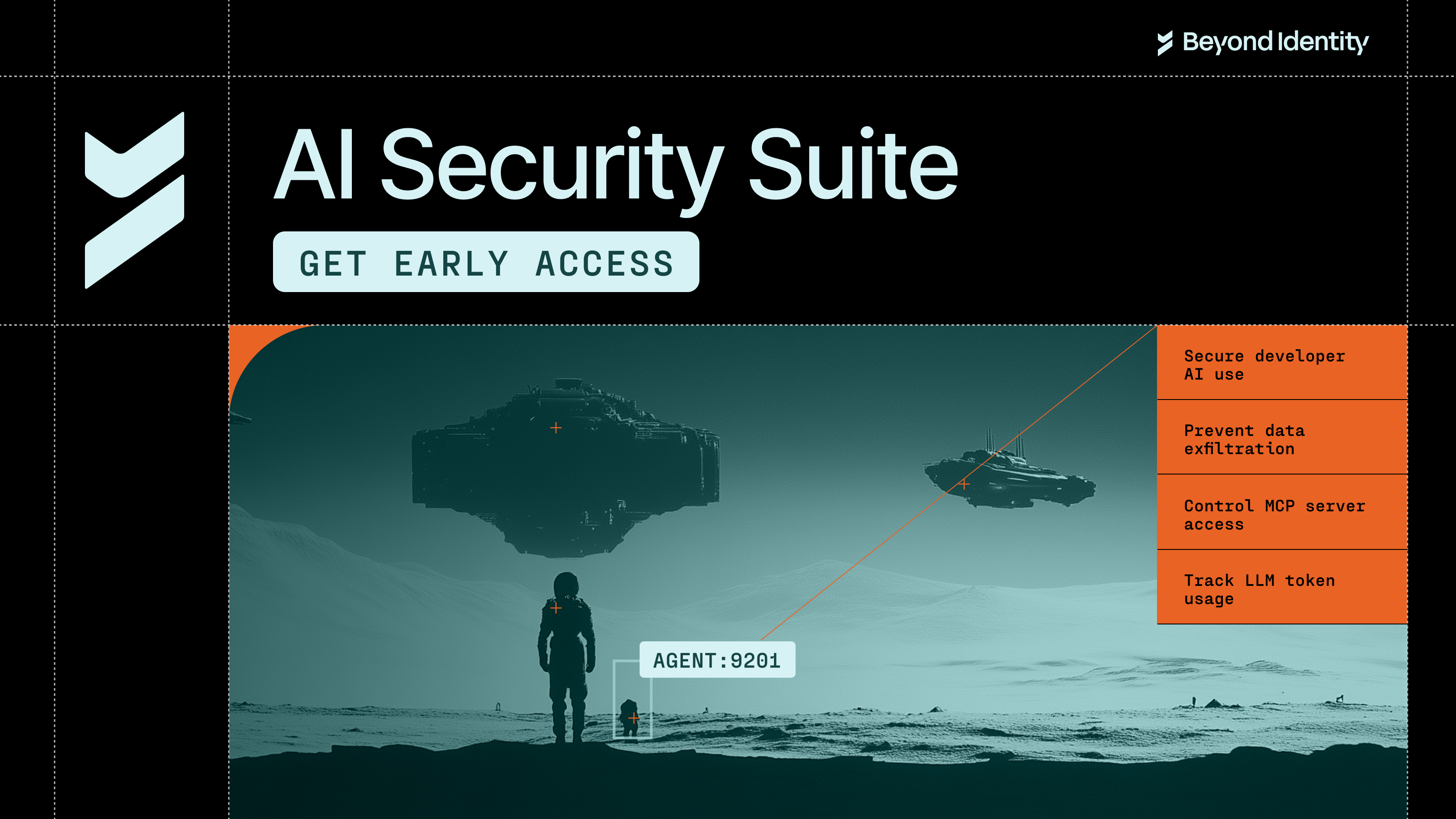
Beyond Identity Opens Early Access for the AI Security Suite
January 22, 2026
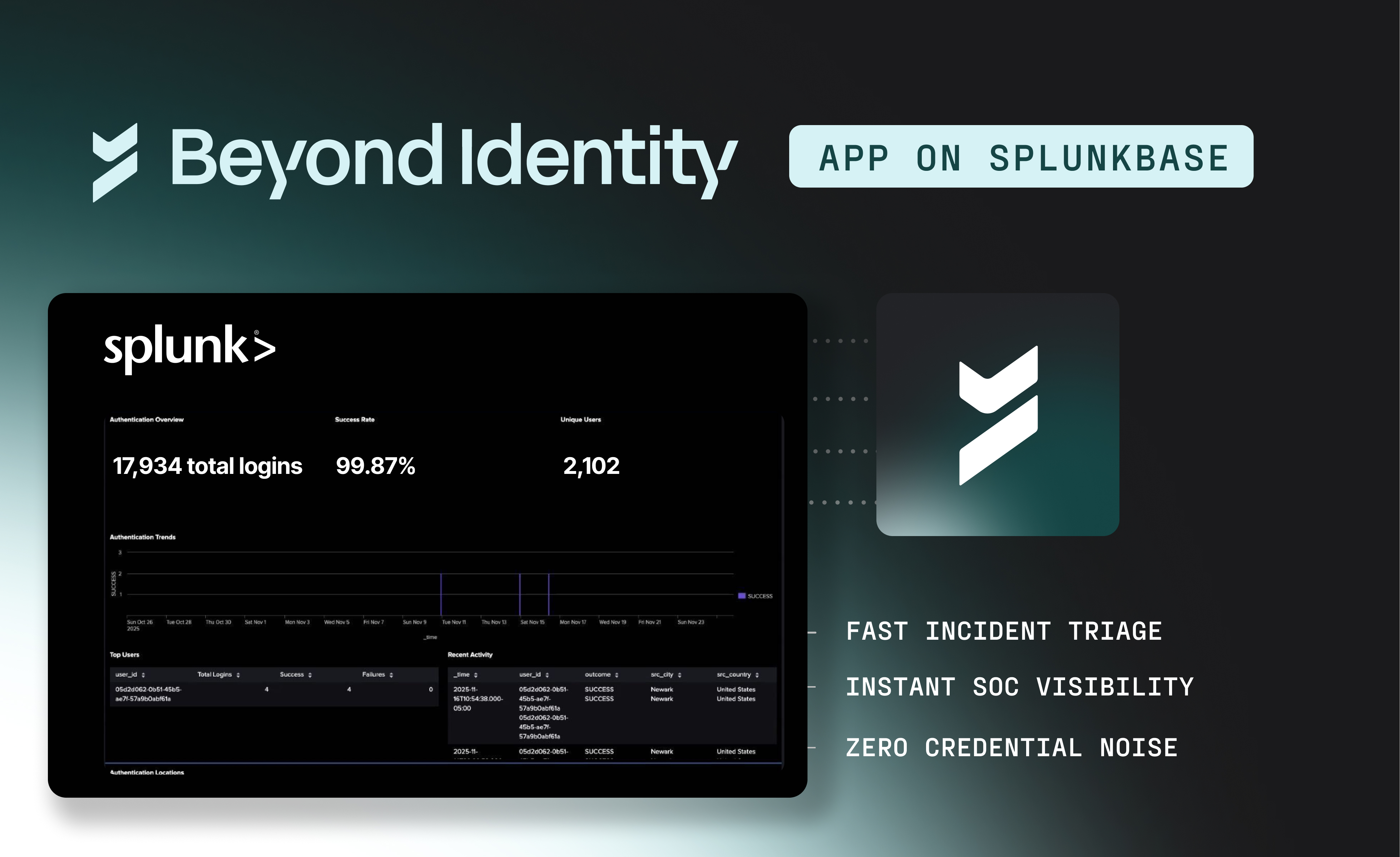
Unlock High-Fidelity Security with the New Beyond Identity App for Splunk
January 16, 2026
Beyond Identity Joins NVIDIA Inception Program to Advance Hardware-Enforced Security for the AI Era
January 5, 2026

Chips and SLSA: Why TPMs Matter for Code Commits
December 19, 2025
Why Is Code Provenance Non-Negotiable in the Age of AI?
December 17, 2025
.avif)
How Beyond Identity & Nametag Stop Identity Fraud at Onboarding & Recovery
November 19, 2025
Make Identity-Based Attacks Impossible
August 11, 2025
Meeting CJIS Compliance with WDL
May 27, 2025
PCI DSS Compliance with Beyond Identity
March 6, 2025
.avif)
Online Job Board Safety: How and Why To Avoid a Scam
March 7, 2024
ChatGPT's Dark Side: Cyber Experts Warn AI Will Aid Cyberattacks in 2023
February 29, 2024
Improving User Access and Identity Management to Address Modern Enterprise Risk
February 20, 2024

Okta Cyber Trust Report
January 5, 2024

Securing Remote Work: Insights into Cyber Threats and Solutions
October 30, 2023

Networking Dinner with MightyID and Tevora
December 9, 2025
Alphinia CISO Mastermind Dinner
December 1, 2025
Myriad360 Client Appreciation Celebration
November 20, 2025
GuidePoint Security Movie Premeire of Wicked
November 19, 2025
.avif)
How AI Is Accelerating Threats: The Inside Scoop on Emerging Phishing GPTs
November 18, 2025

GuidePoint Security 3rd Annual Houston Golf Outing
November 13, 2025
GuidePoint Security's Pinehurst Golf Outing
November 12, 2025
GuidePoint Security Public Sector Vendor Fair
November 5, 2025